
Set up AI resources for your Autopilot agents
Overview
The AI resources page is where you maintain all the context that you provide to your Autopilot AI agents. Providing rich context helps agents generate more accurate, relevant, and context-aware responses tailored directly to your company's specific guidelines. See this article to review how to add these resources to your agent.
You must have company admin permissions to set up AI agents.
AI resource types
To manage these resources navigate to your company settings page, then select AI resources in the sidebar.
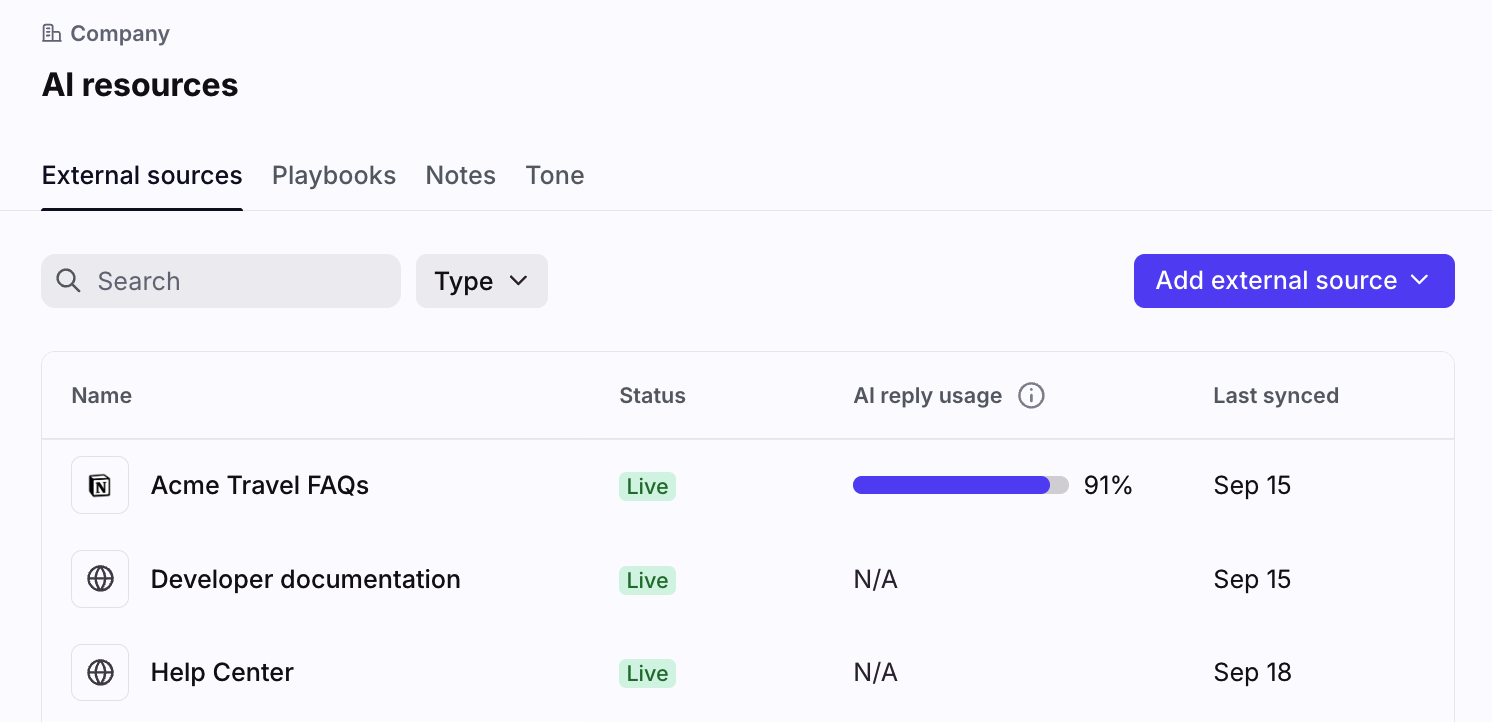
External sources
Connect public-facing help centers, blogs, or FAQ sites hosted outside of Front, sync internal documentation from a third-party application, or upload files directly to Front to give context to your AI agents.
Learn more:
Playbooks
Use Playbooks with Autopilot AI agents to handle complex scenarios with guided logic, steps, and human teammate handoff. Playbooks allow you to define workflows using natural language instructions to handle variability in customer responses effectively.
Learn more: Autopilot Playbooks
Notes
Front notes serve as a native short-form knowledge source, designed for quickly adding or supplementing information to cover gaps in other knowledge sources and power Front's AI features.
Learn more: Use notes with Front AI features
Tone
Tone is a key resource for Autopilot AI agents, as it allows the agent to maintain a consistent voice across all of its replies. You can create multiple custom tones to assign to specific agents in your company’s Tone settings.
Learn more: Tone guidelines
FAQ
Do I need to create and add resources before building an agent?
Yes - but not all. You must first add knowledge to the External sources tab or set up a Front knowledge base, because this is a required field when setting up your agent. All other resources can be set to default settings or left blank when creating an agent.
Pricing
External sources are available on all plans. Playbooks, notes, and tone guidelines require the Autopilot add-on.