
Autopilot Playbooks [new]
⚠️ These instructions refer to the new version of Autopilot. Customers who created Playbooks before Oct 6, 2026 use the legacy version of Playbooks here.
Overview
Use Playbooks with Autopilot AI agents to handle complex scenarios with guided logic, steps, and human teammate handoff. Playbooks allow you to define workflows using natural language instructions to handle variability in customer responses effectively.
With Playbooks, you can:
Automatically handle back-and-forth conversations with customers, read from third-party systems, and document resolution progress on the conversation for internal teams
Dynamically navigate edge cases
Prerequisites
To manage Playbooks, you must be a Front company admin.
You must have access to the Autopilot add-on and have built an Autopilot AI agent to use the Playbooks.
Create a Playbook
Step 1
Click the gear icon, navigate to company settings, select AI resources in the sidebar, then select the Playbooks tab.
Step 2
Select the Playbooks tab, then click Create Playbook.
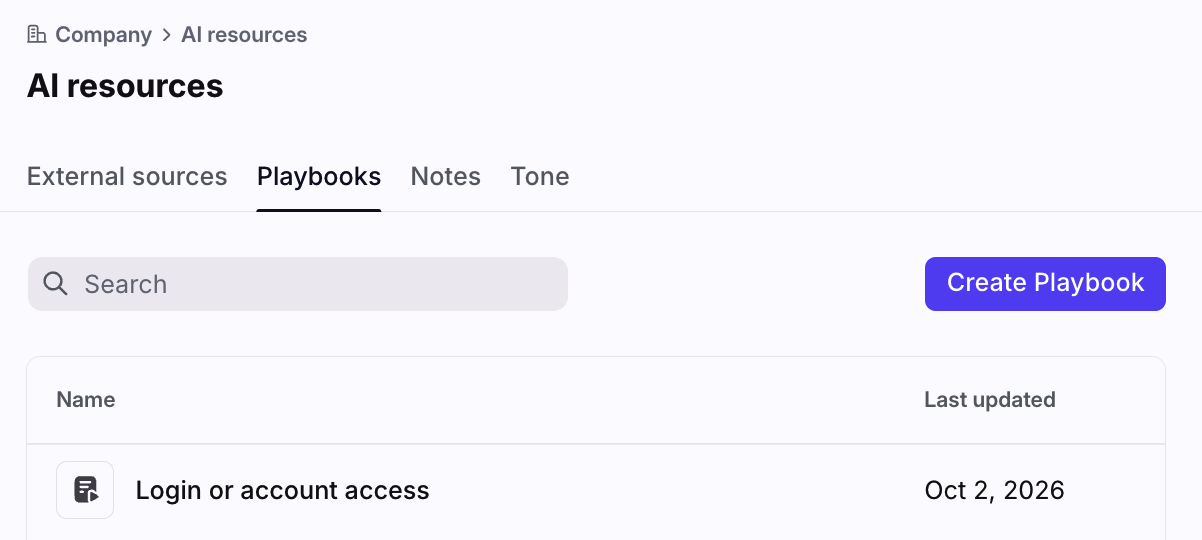
Step 3
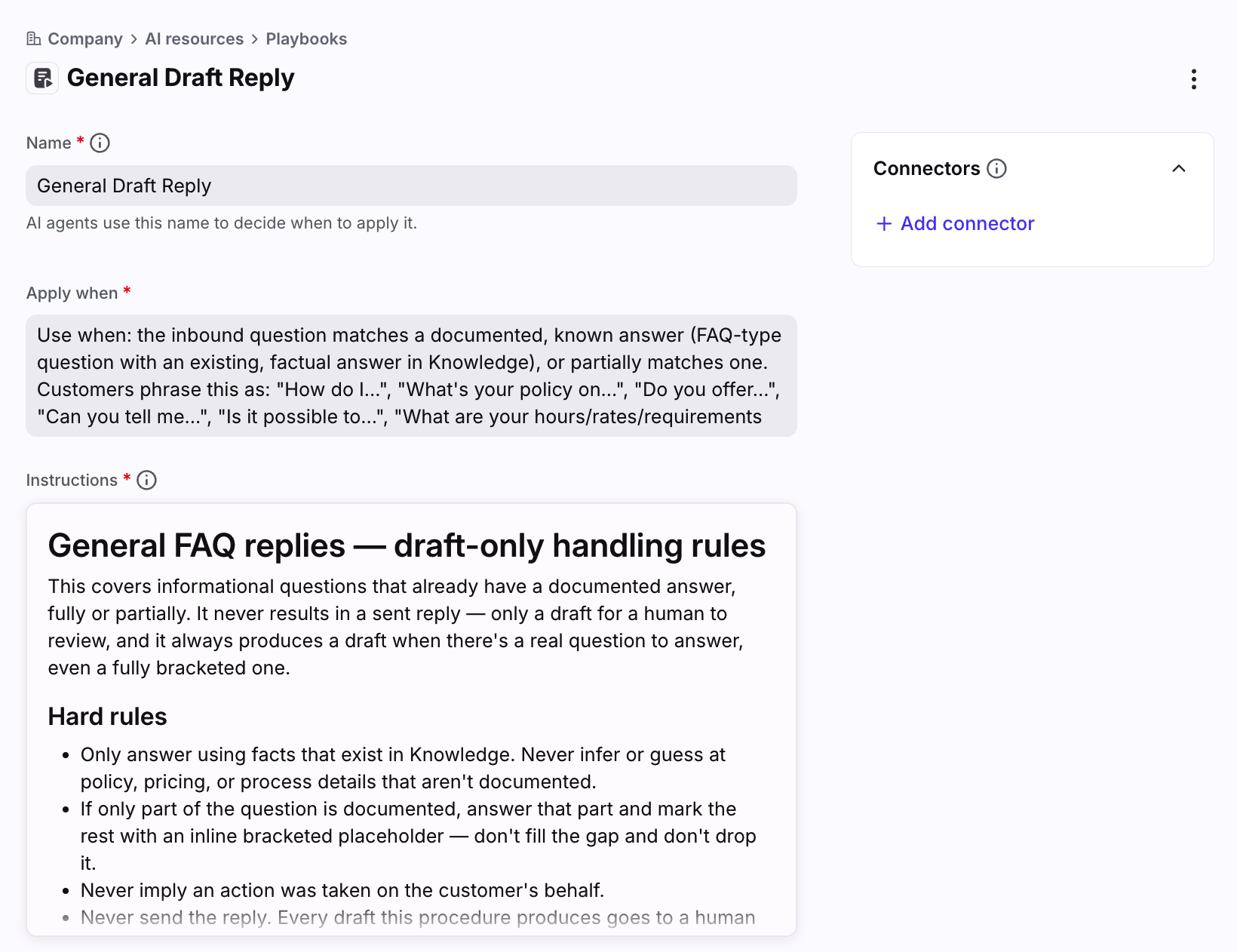
Enter a name for your Playbook, then fill in the following fields:
Apply when: Describe when an Autopilot agent should be using this Playbook. The more descriptive and granular you are, the better the precision.
Instructions: Describe the specific context, step-by-step procedures, necessary actions, and actions to avoid for the scenario outlined above using natural language. Treat this field like you are explaining the standard operating procedure (SOP) to a new junior team member: offer explicit instructions, clear context, and step-by-step guidance.
Step 4
Click Create to finish.
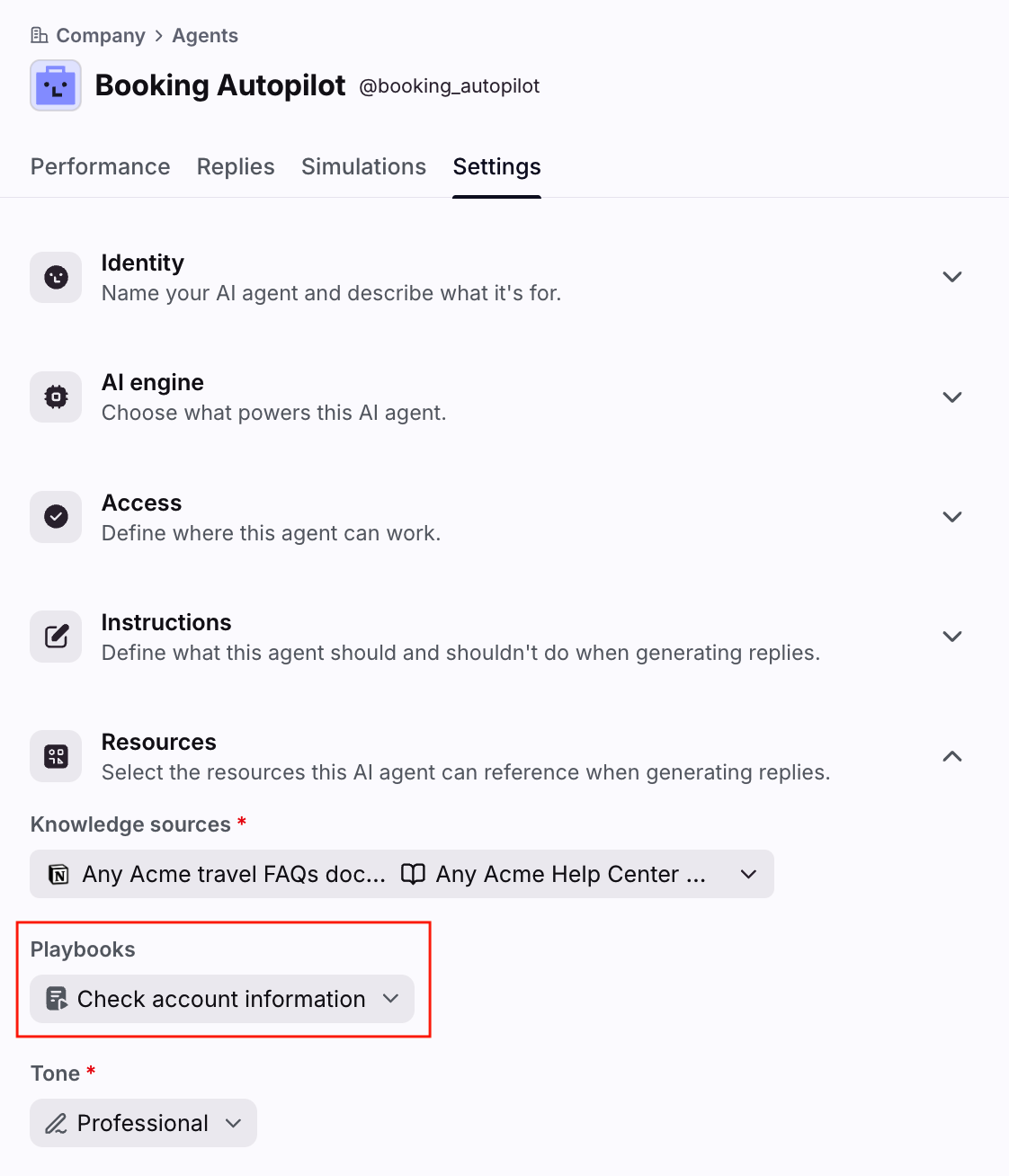
You can now add the Playbook to the Resources section in an Autopilot agent. Any time the agent is assigned to a conversation or brought into a conversation via @mention, it will consider that Playbook and only use it when the conversation matches the description entered in the Apply when field.
Best practices
Writing instructions
Think of a Playbook as what you'd write to teach a new junior teammate how to handle one specific situation (Instructions field), plus a description telling them when to use it (Apply when field). The Apply when field matters as much as the Instructions field to ensure the Playbook functions as intended.
In summary:
Field | Job | If it's wrong |
Apply when | Says when this Playbook applies | The Playbook never gets used, no matter how good the Instructions below are |
Instructions | Says how to handle the situation | The Playbook runs, but the answer is inaccurate |
Tips for writing Apply when / Instructions content:
Use your customers' words. If customers write "my order never showed up," using the description "delivery exception handling" is a weak match. Quote real phrases used by your customers for the best results.
Include every language you support. An English-only description is a common weak match.
Add a "Do not use when" line naming the nearest similar situation and its Playbook. Do this on both sides of any overlapping Playbooks that should be mutually exclusive.
Say it once. Do not restate your agent's core Instructions in a Playbook, and don't copy Knowledge into one. When two copies drift apart, they contradict each other, and this can cause unexpected behavior.
Keep Playbooks focused
A Playbook works best when focused on a single situation or scenario. If you have multiple scenarios you’d like to automate, then create separate Playbooks for each one.
Examples:
Too broad | About right | Too narrow |
|---|---|---|
"Billing" | "Refunds and cancellations" | "Refunds for annual plans purchased in Q1" |
"Support requests" | "Order changes before dispatch" | "Order changes where the customer misspelled the street name" |
Things to avoid:
Too broad: the instructions have multiple separate logic and actions where you’re writing multiple sections like; “When this, do that” or “Except this situation, then do this”
Too narrow: the Apply when description is nearly identical to another Playbook's.
Not a Playbook: the body is just a fact or an answer. Facts belong in knowledge articles or notes.
Recommended structure
When configuring Playbooks, we recommend organizing your instructions in this order:
Scope statement. One line on what the Playbook covers, plus any framing fact or important context.
Hard rules. Include when an agent should never do something, and when it should always do something.
Decision logic. Outline logic and analysis that should be done, and outcomes.
What to say. Explain the substance of a good reply, not a script. Scripts fight with your Tone settings.
Actions. Describe when to send a message or when to hold for review, which tags to apply, comments to leave, and for whom.
Troubleshooting
See below for common issues and how to fix them.
What you're seeing | Most likely cause | What to try |
|---|---|---|
Playbook never runs | Description doesn't match how customers phrase it | Rewrite using real inbound quotes; add other languages |
Wrong Playbook runs | Two descriptions overlap | Add "Do not use when" to both |
Right Playbook, wrong answer | Playbook instructions are ambiguous, or correct Knowledge isn't selected in the agent settings | Tighten the rule; add the source to the Knowledge setting |
Escalates when it should answer | Playbook instructions don't name the self-serve path | Add the self-serve steps |
Replies are long and rambling | Playbook instructions over-explains or repeats content | Cut duplication; add rules, not prose |
FAQ
Are Playbooks part of Autopilot?
Yes. Playbooks are part of the Autopilot add-on.
Which languages are supported?
Only English is officially optimized at this time. While it is possible to use this feature with other languages, unexpected results may occur. In general, Front AI will respond to a single inbound message in the same language. However if multiple languages are used at any point in the conversation messages there's no guarantee that it'll make the language choice a human would. Our AI vendors support 40+ common languages.
What is the best strategy for writing guidance for the agent?
When writing guidance for the agent (e.g., instructions, Playbooks, etc.), we highly recommend pasting this article and other AI resource specific articles into an AI chat service of your choosing, like Claude or ChatGPT. Outline the exact use case you are trying to solve and ask it to write instructions, write a Playbook, or several Playbooks that need to work together. In the near future we will bring this same AI setup experience directly into Front.
What happens to my data? Which providers does Front use?
See this article for additional AI FAQs.
Pricing
See the Autopilot article for more information.