
Automate complex workflows with Autopilot
Overview
Autopilot offers key capabilities to automate complex workflows through specialized tools. These include Autopilot agents for managing end-to-end inbox conversations, Autopilot Resolve for 24/7 AI-powered self-serve support, and Autopilot in rules to automate conversation triage and routing via custom branching logic.
Leverage Autopilot to:
Scale customer operations: Resolve more requests end-to-end by handling triage, intake, and other workflows, so your team can absorb volume without sacrificing quality.
Automate complex workflows: Turn your documented processes into repeatable execution. Collect the right details upfront, apply policy-driven steps, and take action in connected tools and systems.
Move faster while maintaining control: Keep clear guardrails for when Autopilot runs, what it can do, and when it should escalate, so sensitive, high-stakes, or exception cases reach the right teammate with full context.
Autopilot features
When you have the Autopilot add-on enabled for your company, you have access to the following features:
Autopilot agents
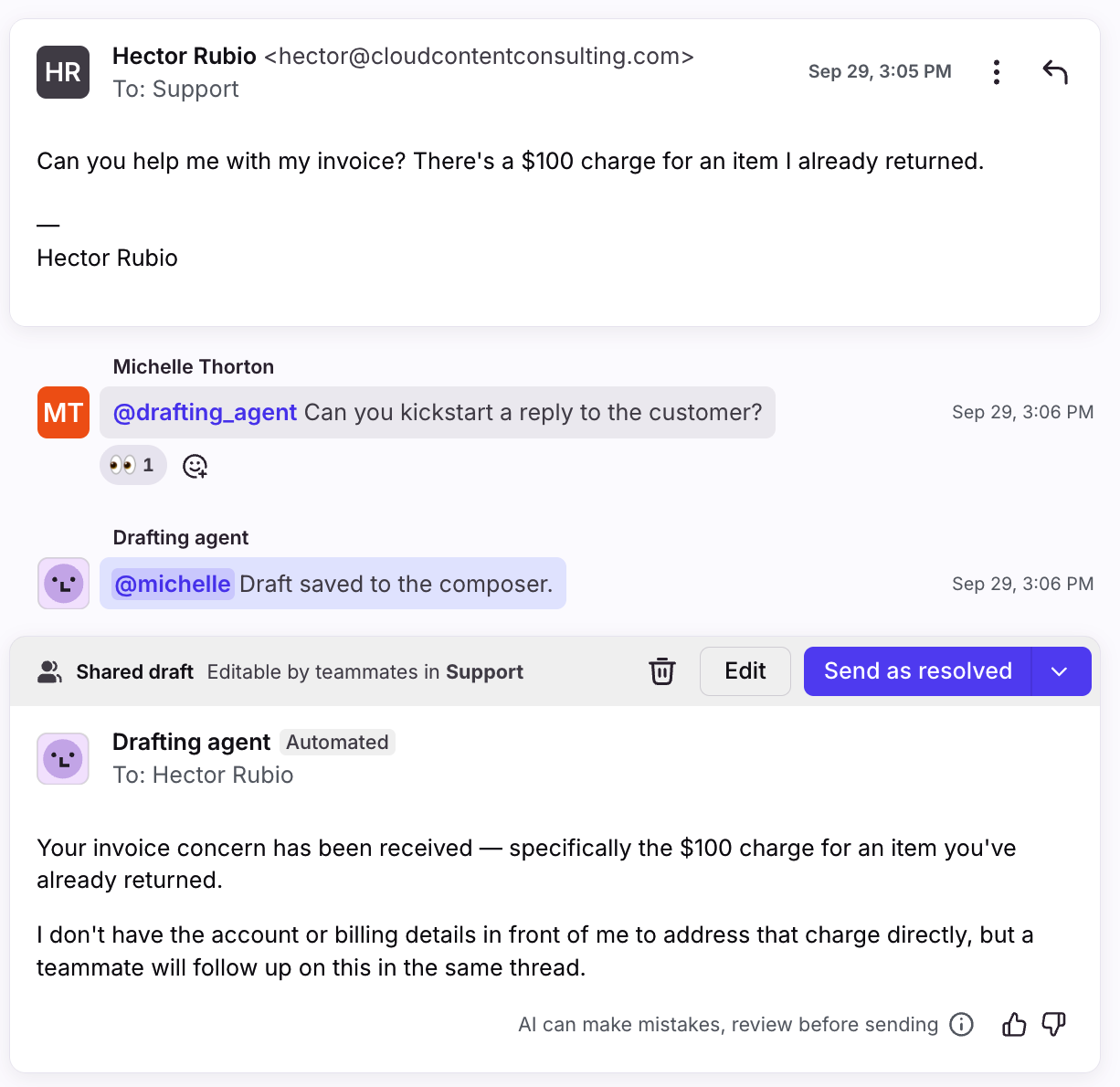
AI agents powered by Autopilot own conversations in your inbox end to end via the normal assignment process, where you can define behavior, tone, and processes to follow for the conversations it is assigned to handle.
Learn more: Using AI agents in Front
Resolve
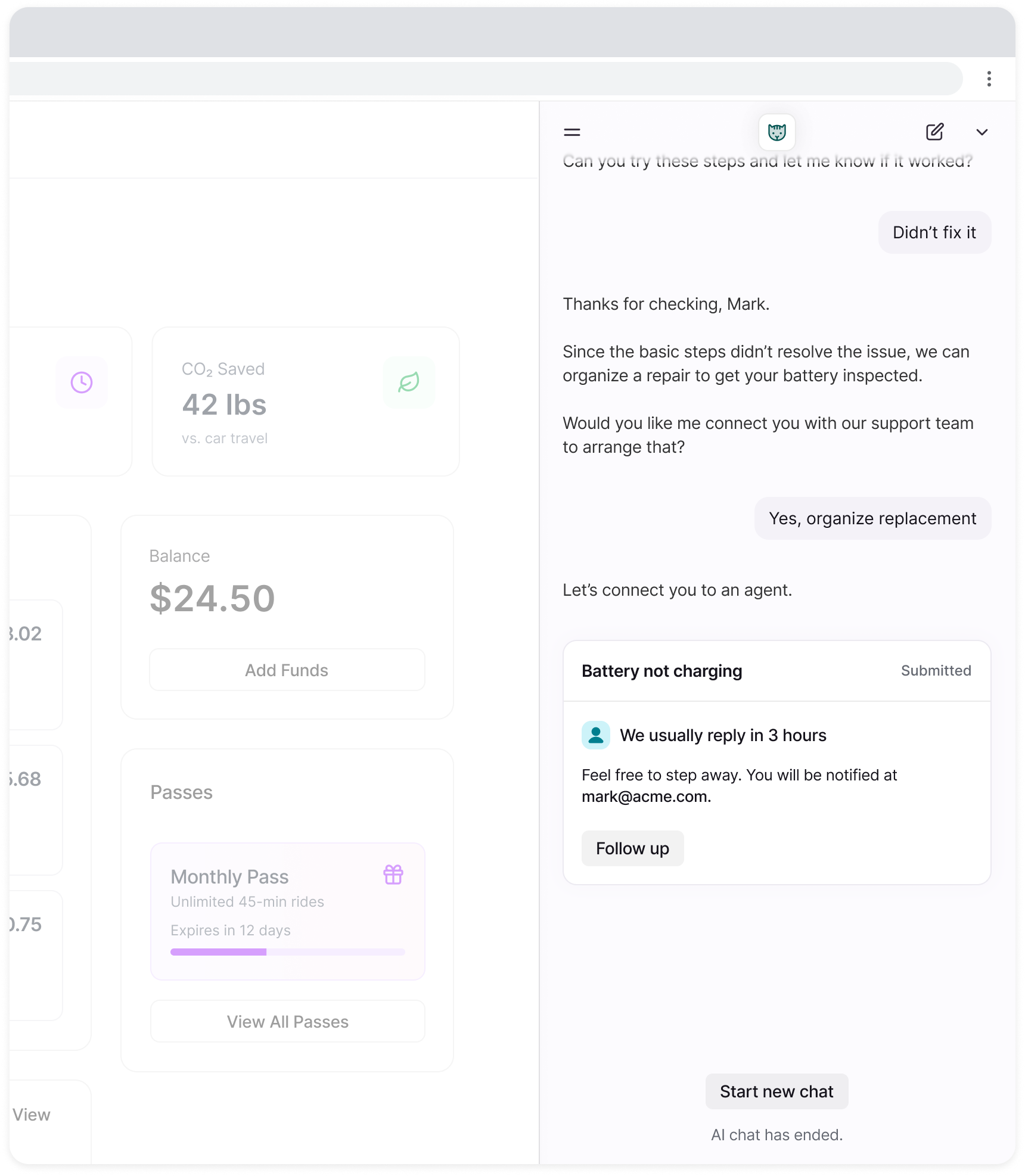
Autopilot Resolve is an AI-native channel customized for self-serve support. Embed Resolve into your web pages or Front help centers to provide customers 24/7 AI-powered support using information from connected knowledge sources or Playbooks, or create tickets to hand off to live agents.
Learn more: Autopilot Resolve
Autopilot in rules
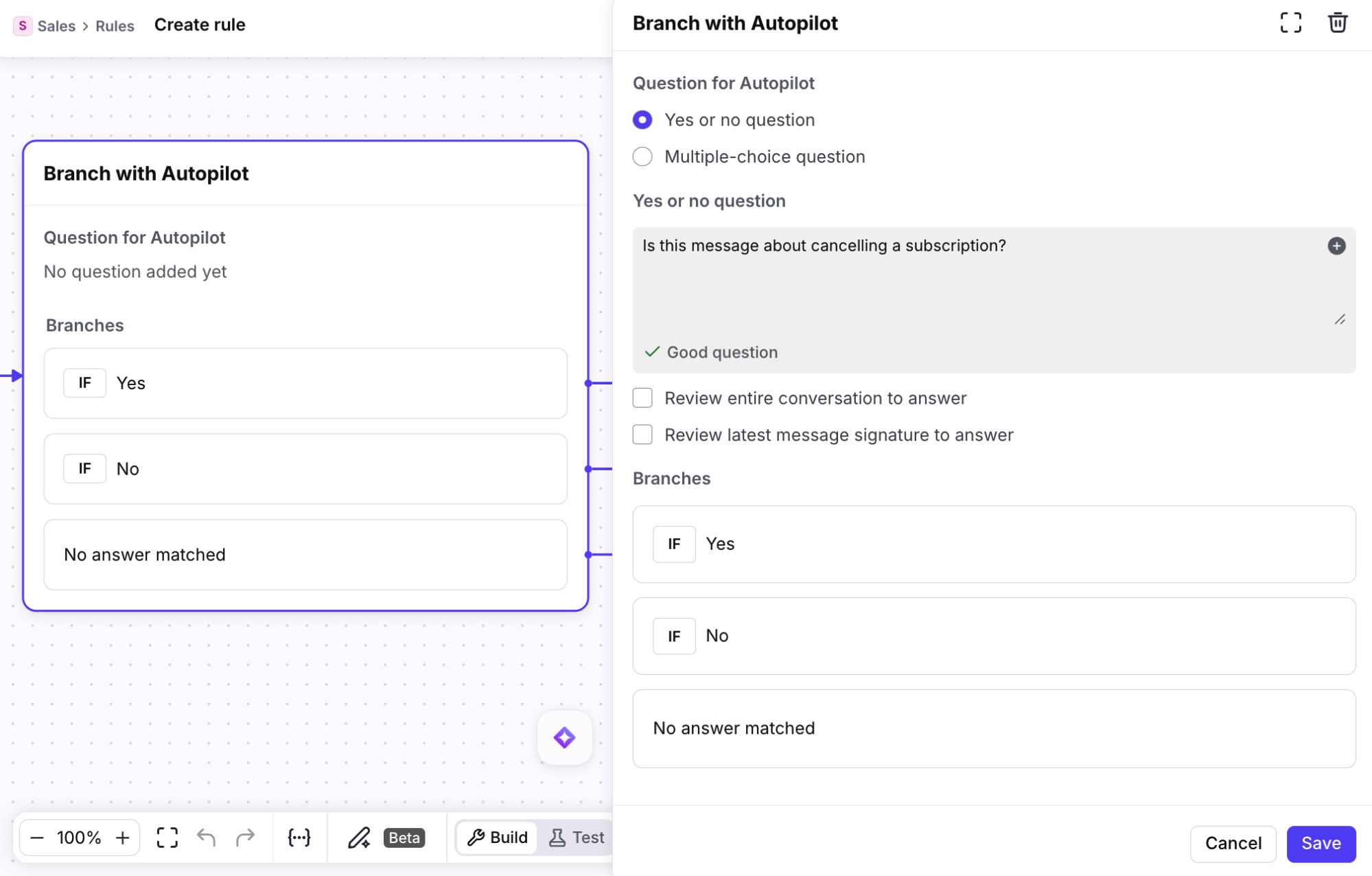
Use Autopilot-powered rule branching and actions to tell AI how you want to triage, reply to, and resolve conversations.
Learn more: Autopilot features in rules
FAQ
What channels are supported?
This feature is available for the following channel types: Email, Autopilot Resolve, Portal, Slack, SMS, WhatsApp (native), WhatsApp (via Twilio), Yalo WhatsApp.
To use Autopilot with custom channels, please reach out to your account manager or Front's support team.
What languages are supported?
Only English is optimized at this time. While it is possible to use this feature with other languages, unexpected results may occur. In general, Front AI will respond to a single inbound message in the same language. However if multiple languages are used at any point in the conversation messages there's no guarantee that it'll make the language choice a human would. Our AI vendors support 40+ common languages.
Does Autopilot apply to individual inboxes?
No. Autopilot only applies to shared inboxes. As a workaround, you can create a shared inbox that only an individual can access and move conversations from the individual inbox to the new shared inbox.
Where can I see all messages generated by AI?
You can navigate to the AI replies hub in your Front AI workspace settings to view a list of all messages generated by AI. See this article to learn more.
How is Autopilot different from Copilot?
Both Autopilot and Copilot are AI features that help your team handle customer conversations more efficiently, but they serve different purposes.
Autopilot is an omnichannel AI agent built for automation, handling both the generation and sending of replies on its own. You may configure it to handle complex automated workflows, such as triaging issues or directly answering customer inquiries, freeing up your team to focus on the issues that require human assistance.
Copilot is your always-on AI assistant used among your teammates. It helps you quickly understand what matters in a conversation, surface relevant history and knowledge, and draft replies — but a teammate is always in the loop, prompting it and reviewing its output before anything is sent.
The simplest way to think about it: Autopilot automates business processes; Copilot assists teammates with their work.
What happens to my data? Which providers does Front use?
See this article for additional AI FAQs.
Pricing
With our outcome-based pricing for Autopilot, you only pay when Autopilot delivers the outcome. Conversations will only be charged once for the highest automation level achieved.
An “Automation” is one of three automation levels that Autopilot is capable of executing: Triage, Handoff, and Resolution.
Automation Level | Definition | Pricing Per Conversation (USD) |
Triage | Understands inquiry details to automate a variety of different functions that help you organize information.
| $0.05 |
Handoff | Drafting, replying, or taking an action by an AI agent that is intended for human takeover. | $0.39 |
Resolution | Fully resolve the conversation without any human replies.
| $0.89 |
Examples
Triage:
Autopilot adds a tag to a conversation or routes it to a teammate/inbox/etc.
Autopilot extracts data (order number, address, etc.) and pushes to an Order Management System (OMS).
Autopilot generates a custom summary of a conversation and updates Salesforce.
Handoff: Autopilot AI agent interprets a request for a quote from a conversation, pulls relevant information from the organization’s internal systems, calculates a quote, and drafts a quote for human review.
Resolution: Autopilot AI agent interprets a request from a conversation, pulls relevant information from the organization’s internal systems, and responds to Customer accordingly. No further action is needed by a human.
Limitations
You won't be charged for an Automation if there's a technical failure of Autopilot on Front's side.
Enabling the add-on
For all subscription plans (including legacy plans):
To purchase the Autopilot add-on, navigate to your billing settings page to activate it.
The add-on will remain on your subscription and will auto-renew unless updated within the Upcoming plan at renewal tab in your billing settings. To learn more about plan changes related to add-ons, see this article.
Pricing is pay-as-you go, invoiced monthly based on your actual usage. Volume discounts are pre-paid commitments. Contact us to request a demo.
Review usage in Billing settings
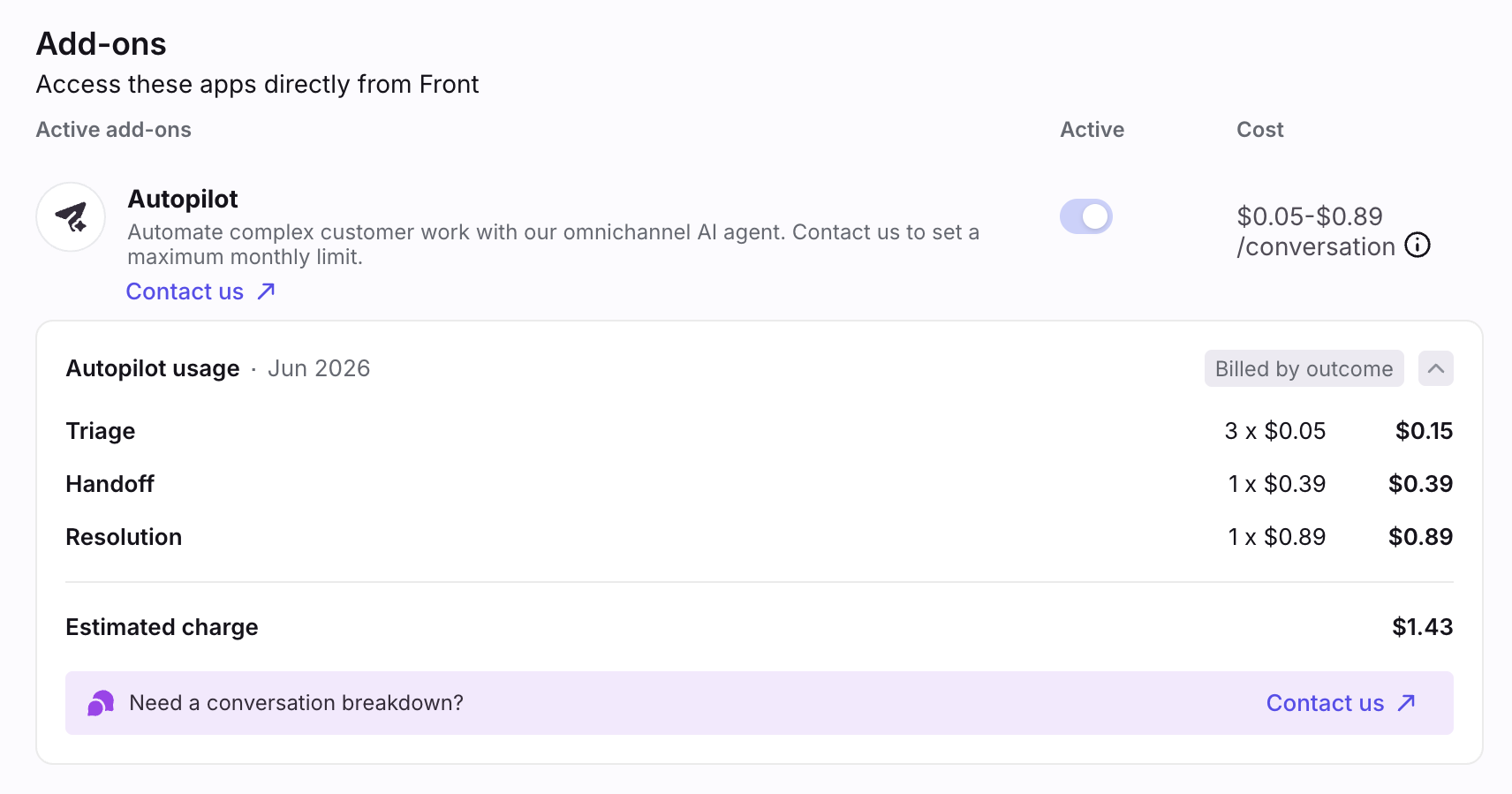
To review your usage of Autopilot, navigate to your Billing settings. This will include an estimated overview of your month’s usage to date. Select Contact us to review a maximum limit of conversations or get a more detailed breakdown of your conversation usage.
Start a free trial
To try Autopilot for free, navigate to the Front AI page in your workspace settings, hover over the Get add-on button for Autopilot, then select Start free trial. This will start a 30-day trial with full access to all Automations and up to 1000 Resolutions.
After the trial ends, if you don't actively opt-in to the paid version, any Autopilot rules, Playbooks, and Resolve channels will stop running.