
Autopilot Resolve analytics
Overview
The Autopilot Resolve Analytics tab helps you gain insights into how your Resolve channel is performing and to track user engagement. Use it to monitor key performance metrics, analyze user interactions, and assess trends over time. Leverage these insights to prioritize updates and improve the effectiveness of your Resolve channel.
You must have admin permissions to access the Analytics tab in your Resolve channel settings.
How it works
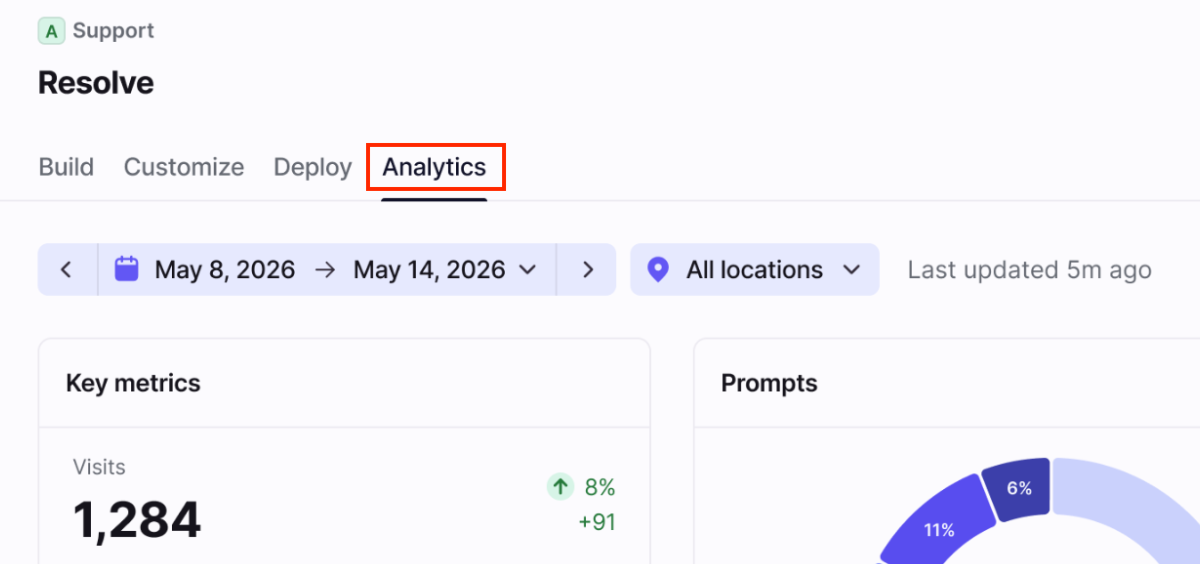
To view Autopilot Resolve analytics, navigate to your Resolve channel in workspace settings, then select the Analytics tab. Use the filters at the top to select a date range or the location where the Resolve channel is deployed.
Key metrics chart
Features
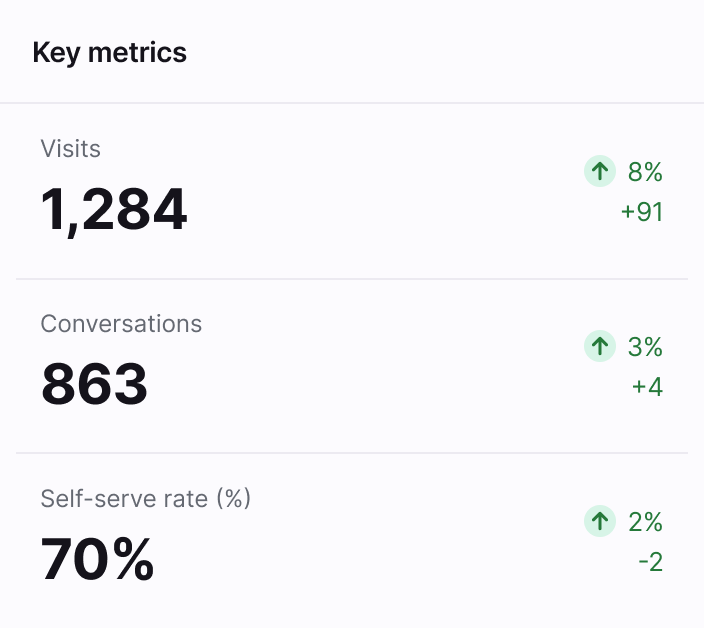
Use the Key metrics chart to understand how Resolve is performing at a glance.
All comparisons are made based on the previous time period of the same length.
List of metrics
Visits
Conversations
Self-serve rate (%)
Prompts chart
Features
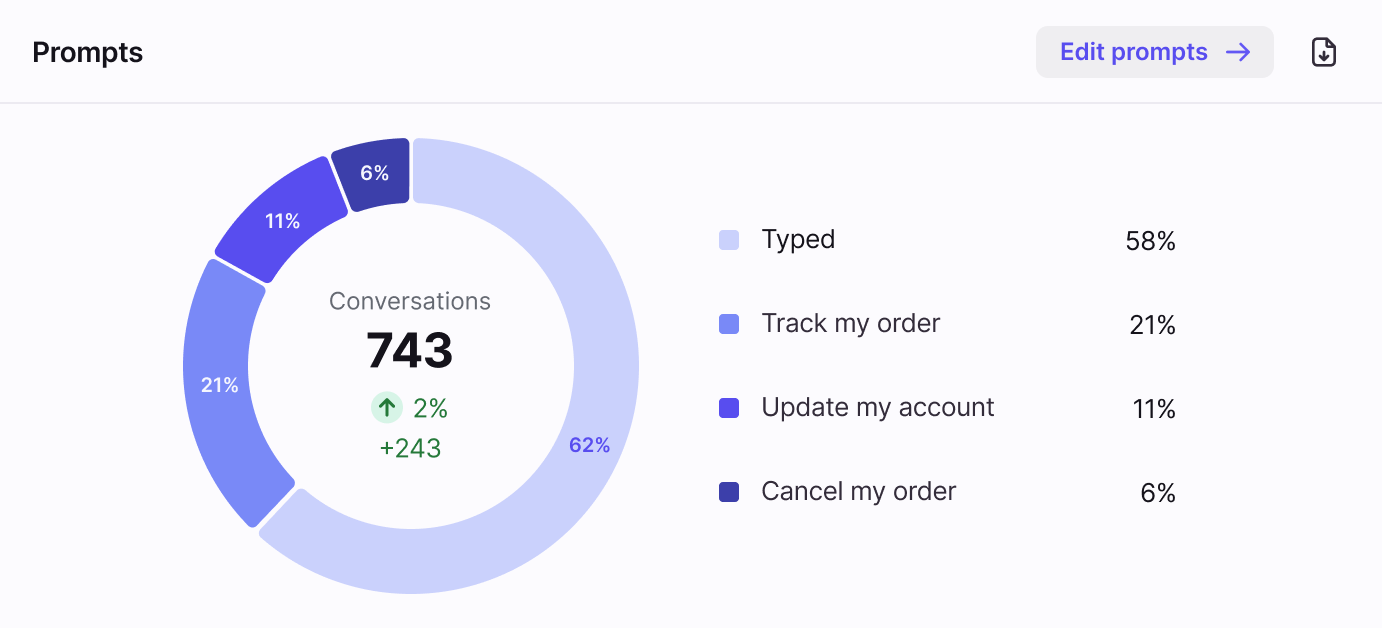
Use the Prompts chart to monitor the frequency of specific prompt selections configured in your Resolve channel.
If applicable, previous versions of your prompt may also display in the chart.
List of metrics
Conversations
Performance over time chart
Features
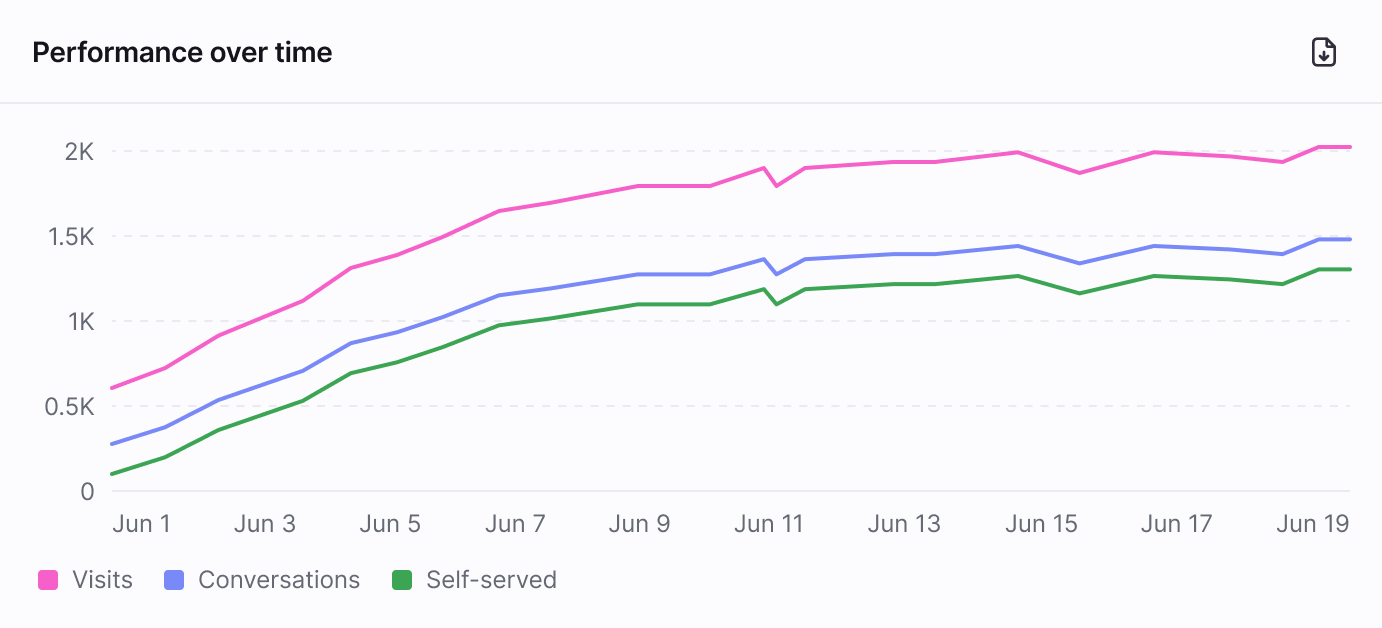
The Performance over time line graph shows the changes in several key metrics over time.
List of metrics
Visits
Conversations
Self-serve rate (%)
Metrics
The following metrics are available for Autopilot Resolve analytics.
Conversations
Purpose: Track the volume of conversations in Resolve.
Definition: Total number of conversations started in Resolve during the selected time period.
Self-serve rate (%)
Purpose: Track the percentage of conversations handled by Autopilot without teammate involvement.
Definition: Percentage of conversations where no teammate was involved, out of all Autopilot conversations during the selected time period.
Visits
Purpose: Track the volume of times users opened Resolve.
Definition: Total number of times users opened Resolve during the selected time period, regardless of whether a conversation was started.
FAQ
Is this feature considered an analytics report?
No. The Autopilot Resolve Analytics tab is not considered an analytics report, so some analytics features (e.g. scheduled reports, views, etc.) do not apply.
Pricing
See the Autopilot article for more information.