
How to handle being out of office
Overview
Front makes it easy to handle being out of office. Teammates can set their own availability, or an admin can manage availability on their behalf.
When a teammate is set to Out of office:
Any replies they receive to conversations that originated in a shared inbox will automatically get unassigned, allowing a teammate to pick up where they left off.
Any shared inbox conversations previously assigned to the teammate that do not receive new replies will be unaffected. If needed, the teammate will need to reassign those before their departure.
Automatic assignments are paused, but other teammates can still manually assign conversations to them.
The indicator by the teammate's avatar will change color, so that the team knows they're unavailable. See this article to learn more about availability statuses.
All behavior in this article assumes that the Keep assignments when teammate is out of office or busy inbox setting is toggled off.
Teammate instructions
Step 1
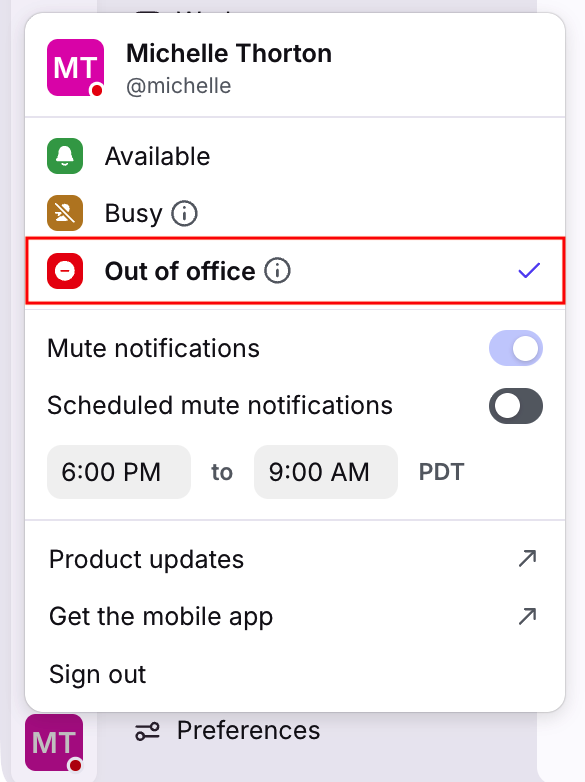
Click your account icon at the bottom left of Front.
Step 2
Change your status to unavailable by selecting Out of office.
Step 3 (optional)
Your individual inbox is unaffected when you set yourself to Out of office. We recommend configuring time off if you need to set up an out-of-office auto-reply for messages in your individual inbox.
If you need to set up auto-replies for messages in shared inboxes, reach out to your Front admin to create a workspace rule.
Admin instructions
If a teammate is out of office, an admin can adjust their availability for them.
Using the Teammates menu
Step 1
Click the gear icon, navigate to your company settings, then select Teammates in the sidebar.
Step 2
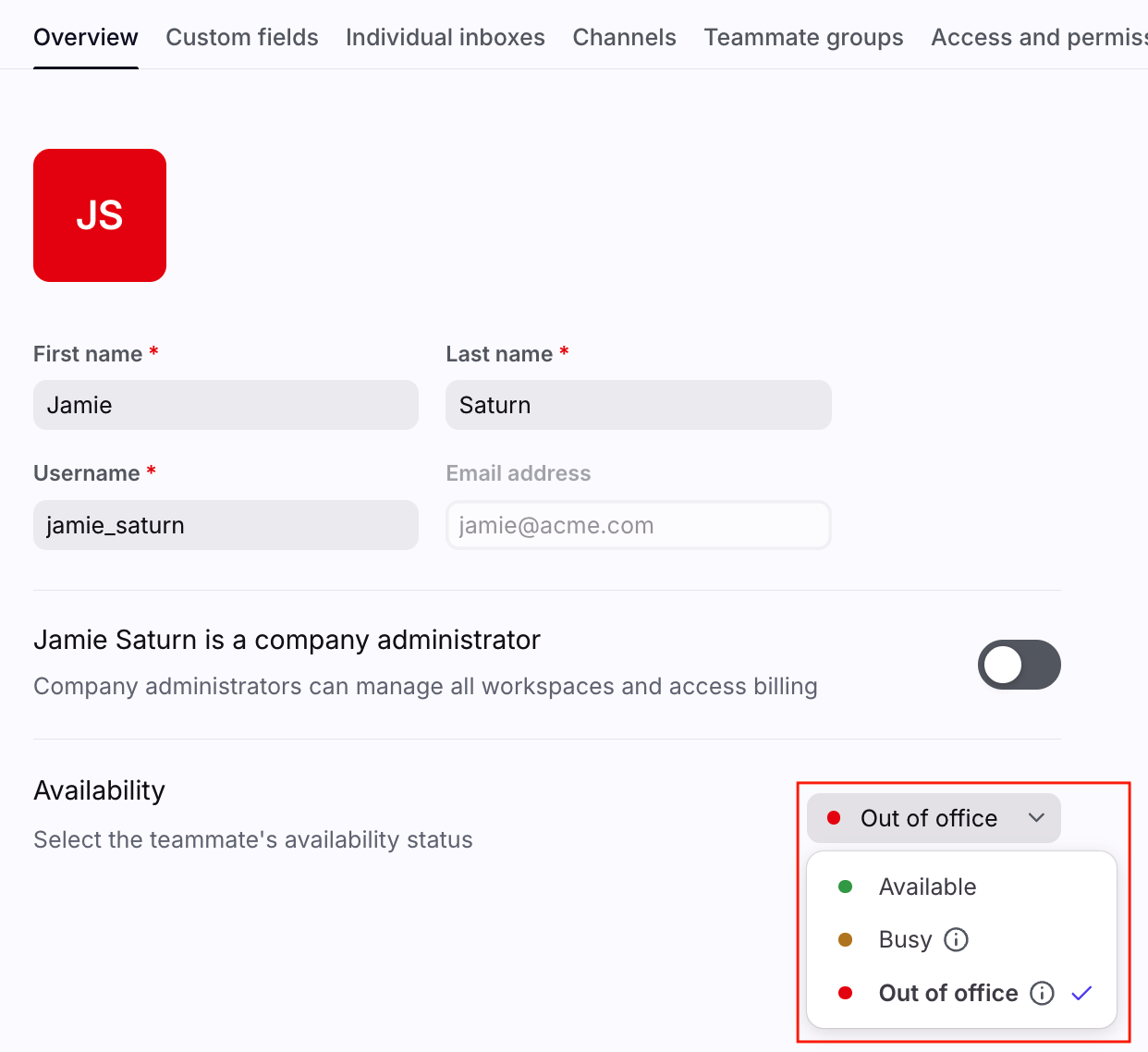
Select a teammate. In the Overview tab, navigate to the Availability setting, then select Out of office.
Step 3
Click Save.
Step 4 (optional)
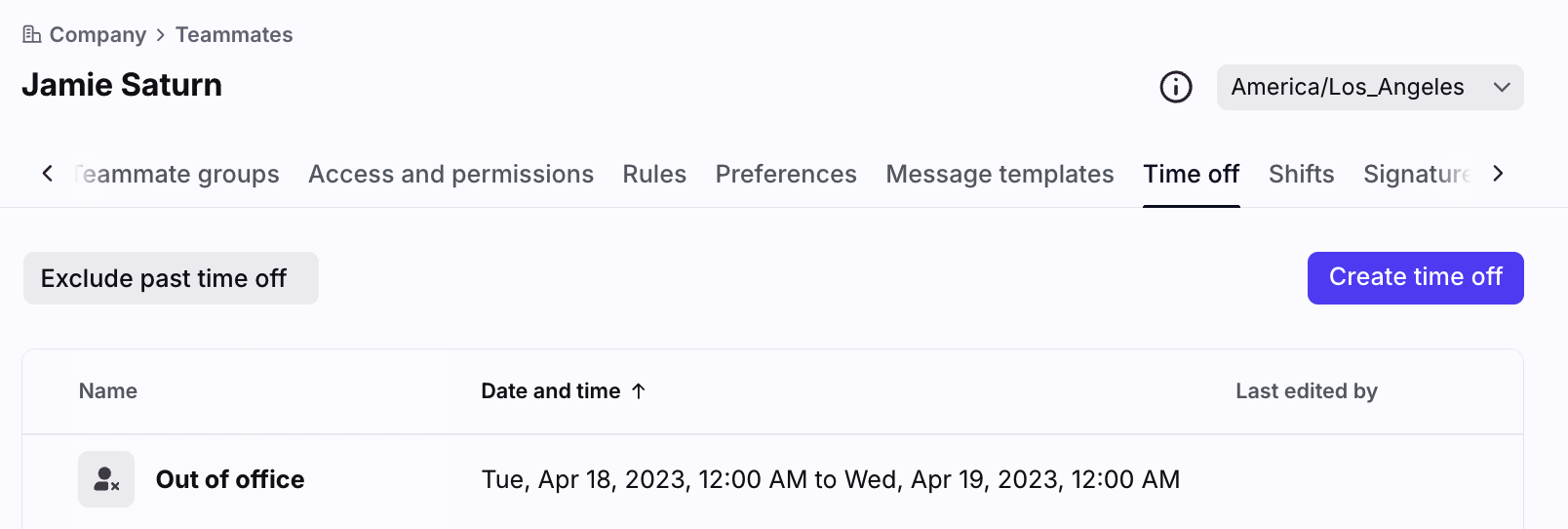
You can also schedule time off for a teammate by navigating to the Time off tab of their profile in the Teammates section.
Using shifts to handle out of office
Create shift schedules across multiple time zones, and assignment rules will only assign to available teammates on the current shift. Conversations won’t be missed when shifts change, and analytics are more precise based on each teammate’s local shift hours. Learn more here.
Pricing
Out of office and time off settings are available on all plans.
The shifts feature is available on the Enterprise plan. Some legacy plans may also have this feature.