
Understanding how third-party source filtering works for Front AI features
Overview
When you connect a third‑party knowledge source (like Notion, Google Drive, etc.), Front evaluates the content found during the sync. Some files are approved and used by Front AI features, while others are rejected (filtered out) to protect quality and prevent irrelevant or unsafe content from influencing AI.
This article explains:
How sync status works (so you know when content is ready)
What “approved” vs. “rejected” means
Why some files are rejected
What you can do to improve approval rates
How the sync works
Sync process
When you start a sync, Front runs a pipeline that:
Fetches files/pages from the connected source
Evaluates each item with a filtering step
Processes approved items so they can be used by Front AI
Sync status
A sync can take time, and content may not be ready immediately when the first sync step finishes. Use the Status column in the External sources tab to determine when your content is ready.
Front will display the following sync statuses:
Syncing: Your source is still being processed
Live: Processing is complete and content is available to Front AI
Failed: Something prevented the sync from completing
If your source is marked as ready but content is missing, check whether the sync is still in progress.
Why Front filters content
Filtering is designed to:
Improve answer quality by focusing on content that’s helpful to customer support
Reduce noise from low‑signal documents (drafts, link hubs, boilerplate)
Prevent risky content (for example, internal notes that should not be used for customer responses)
Approved vs. rejected content
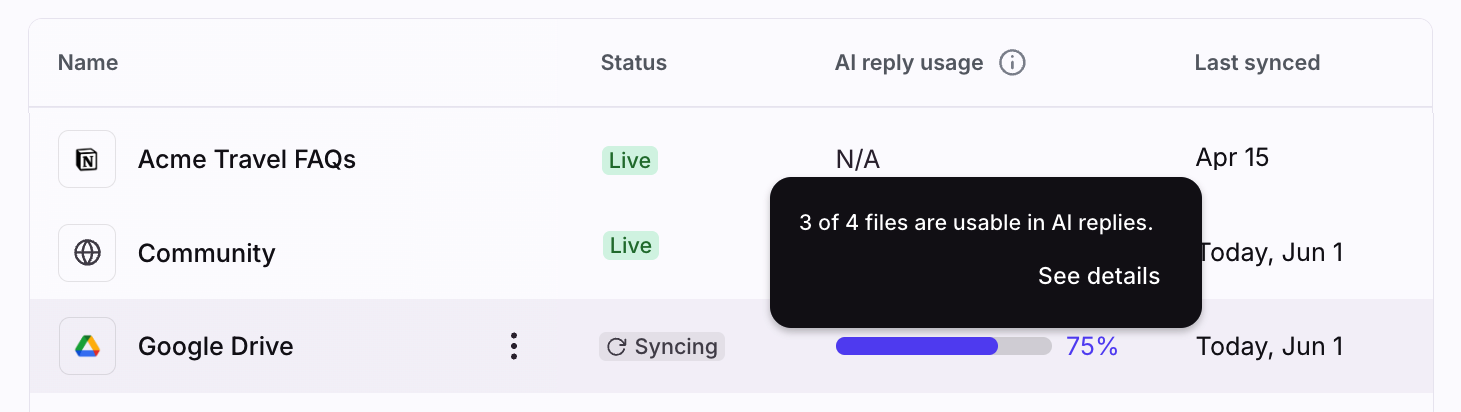
Once your knowledge source sync finishes, click the percentage under the AI reply usage column to review content or files that are approved or rejected.
Approved
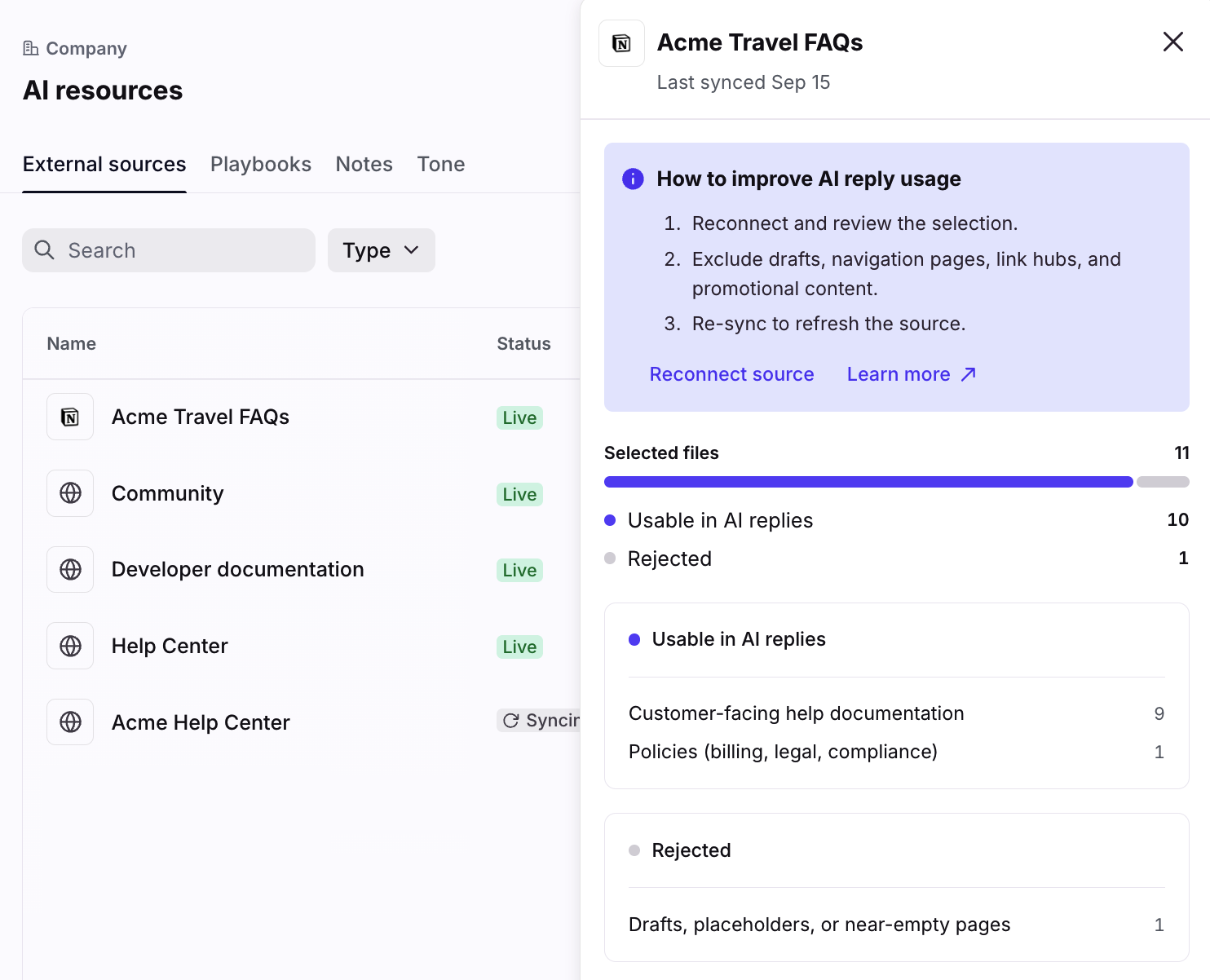
Approved content is used to improve Front AI responses. In general, this is content that is:
Customer‑facing help documentation
Product documentation and how‑to guides
Troubleshooting steps and known‑issue workarounds
Policies (billing, legal, compliance)
Rejected
Rejected content is filtered out and is not used by Front AI. In general, this is content that is:
Internal meeting notes or team discussions
Internal agent standard operating procedures (SOPs) or playbooks intended only for internal operations
Marketing or promotional pages with little customer support value
Navigation / index‑only pages (tables of contents, link hubs)
Drafts, placeholders, or near‑empty pages
Highly technical internal engineering documentation
Rejection reasons (categories)
When content is rejected, Front groups the reason into one of the following categories:
Internal meeting notes
Internal agent instructions
Marketing / promotional
Navigation / index only
Incomplete / draft / empty
Technical / engineering internal
Other
These categories help you quickly understand what kinds of content are being rejected and what to fix.
How to get more content approved
If a large number of files are rejected, the fastest way to improve outcomes is usually to change what you sync, not to add more content.
1. Scope the source to a curated folder or space
Connect a location that contains mostly customer‑facing documentation (help center, support documentation, runbooks intended for support teams).
2. Separate internal notes from support documentation
If your source includes meeting notes, brainstorming documents, or internal-only strategy pages, move those out of the synced scope.
3. Publish and complete draft documents
Drafts or placeholders are commonly rejected. Finalize those documents and run a new sync.
4. Expect index / table-of-contents pages to be rejected
Index-only pages are often rejected because they don’t contain enough standalone information. This is usually expected.
FAQ
Does filtering apply to all knowledge source types?
Filtering transparency is designed for third‑party application sources. Other knowledge sources (like public websites) may have different syncing and processing behaviors.
Will Front store rejected file contents?
No. Rejected items are tracked using lightweight metadata (for example: title, URL, category, and a short reason) rather than storing rejected content.
Can I force Front to include rejected files?
Not at this time. The best way to influence outcomes is to adjust the scope of your source and improve the quality and structure of the content being synced.
Why do I see fewer approved files than expected?
Common reasons include:
Your source includes a lot of drafts or internal notes
Many pages are navigation-only
The connected scope contains mixed content (support documentation + marketing materials + internal documentation)
We recommend focusing on syncing a smaller, curated set of high-signal documentation first.