
Copilot routines
Overview
Copilot routines streamline repetitive tasks by running custom instructions on a schedule of your choosing. Instead manually prompting Copilot every time you need information, you can configure a routine to trigger automatically. Once executed, Copilot generates a new conversation containing the requested information.
Use Copilot routines to help you with:
Daily briefings: Get a summarized brief of meetings, prioritized emails, or upcoming tasks delivered to your inbox every morning.
Proactive account monitoring: Schedule daily routine runs to compile quick updates on key accounts, helping you monitor status changes (such as health scores or recent interactions) without manual lookups.
Recurring summaries: Generate weekly or monthly account status summaries to track performance and stay aligned.
Instructions
Step 1
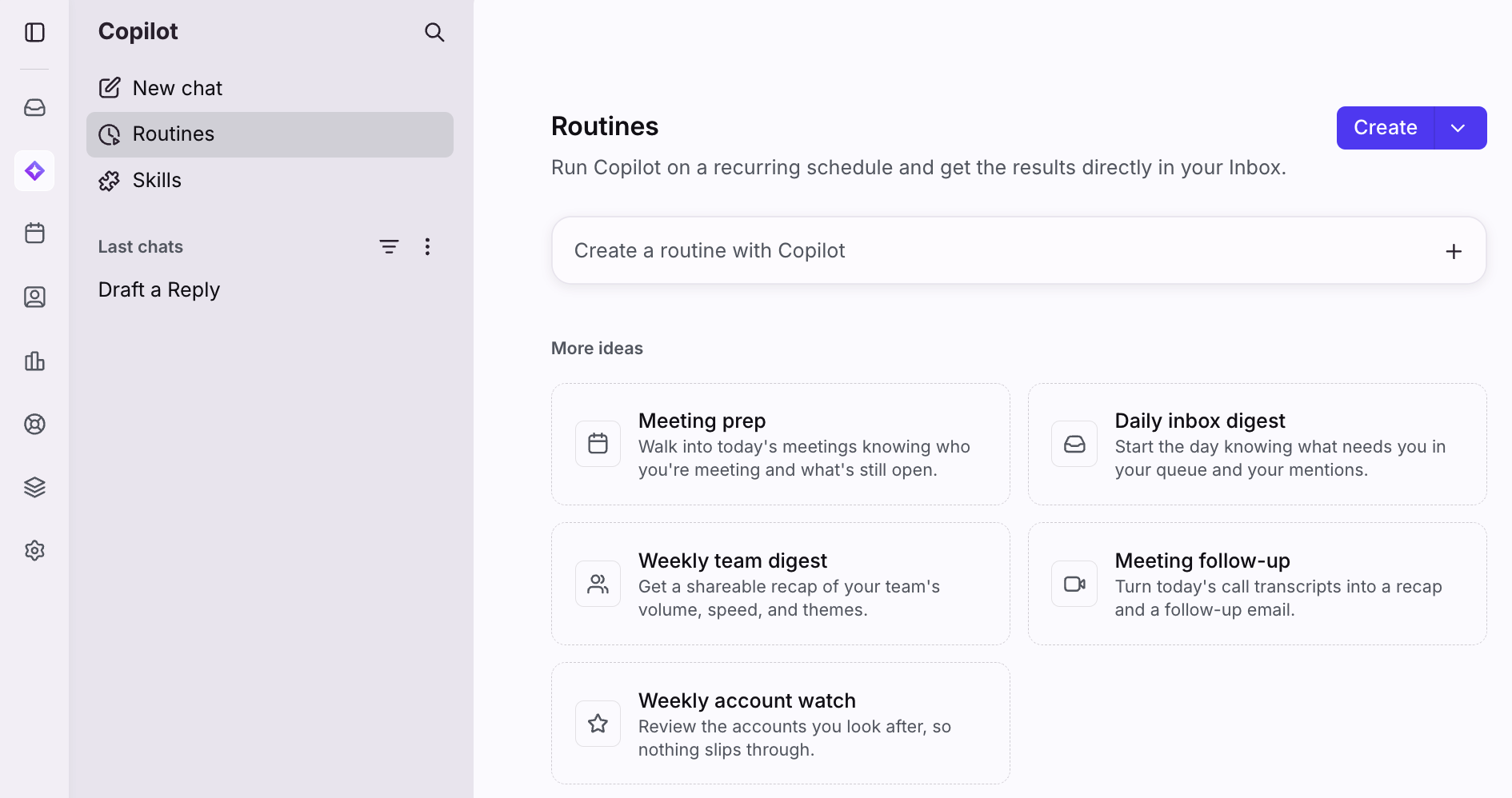
Click the Copilot icon in the navigation menu, then select Routines. Click Create to create a routine from scratch, select a routine template, or create a routine by chatting with Copilot.
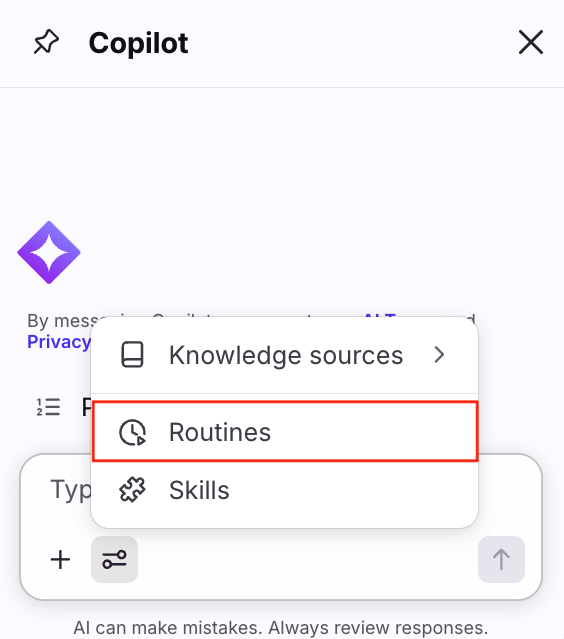
You can also access Routines settings in the Copilot panel on the right-hand side of your inbox.
Step 2
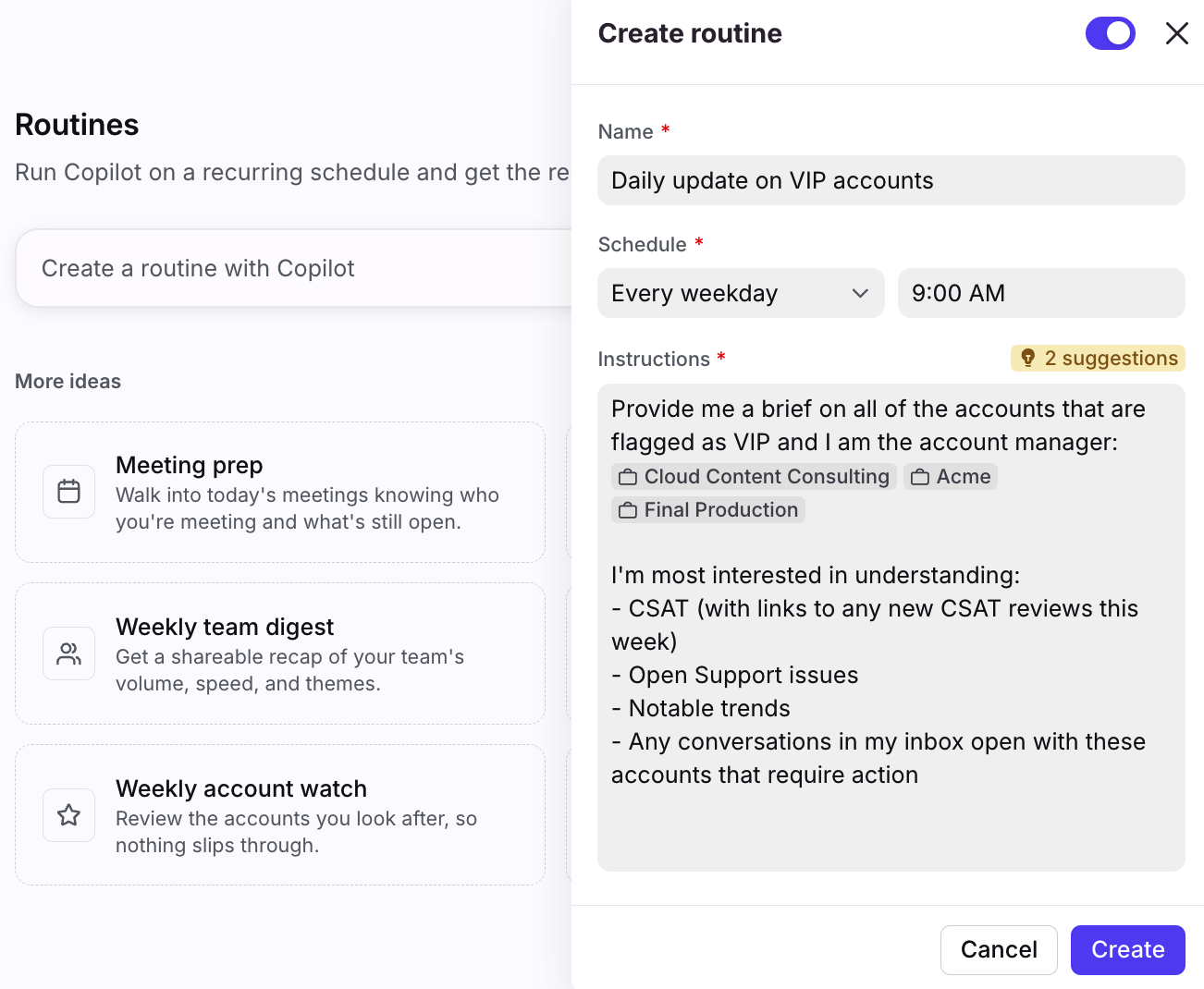
In this example, we'll create a routine from scratch. Fill in the following fields:
Name: Enter a title for the routine. This will be used as the subject when a conversation is generated.
Schedule: Choose the frequency (every weekday, weekly, monthly, daily) and specific time to trigger the routine. The routine is generated based on your time zone.
Instructions: Describe the actions you want Copilot to take, and include any information it needs to consider. Use the @ symbol to reference resources such as inboxes, teammates, conversations, contacts/accounts, and more. If applicable, hover over the # suggestions indicator to review ways to improve your suggestions.
Click Create to finish.
Step 3
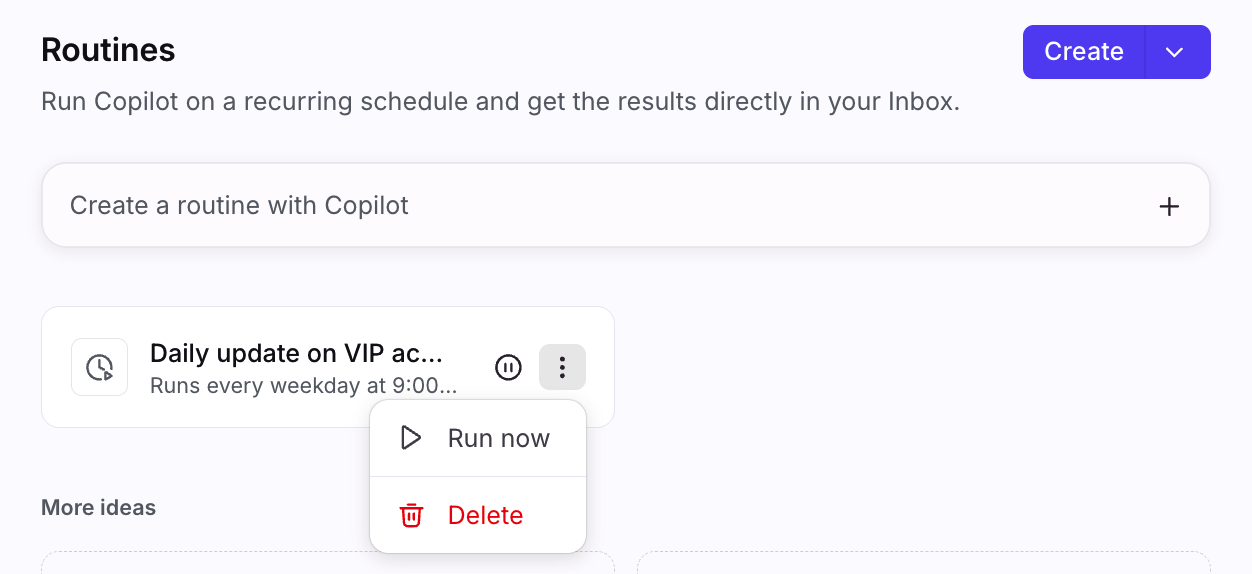
You’ll see the new routine in the list. When you hover over it, you can click the three-dot menu to immediately run the routine, disable (pause icon), or delete it.
Step 4
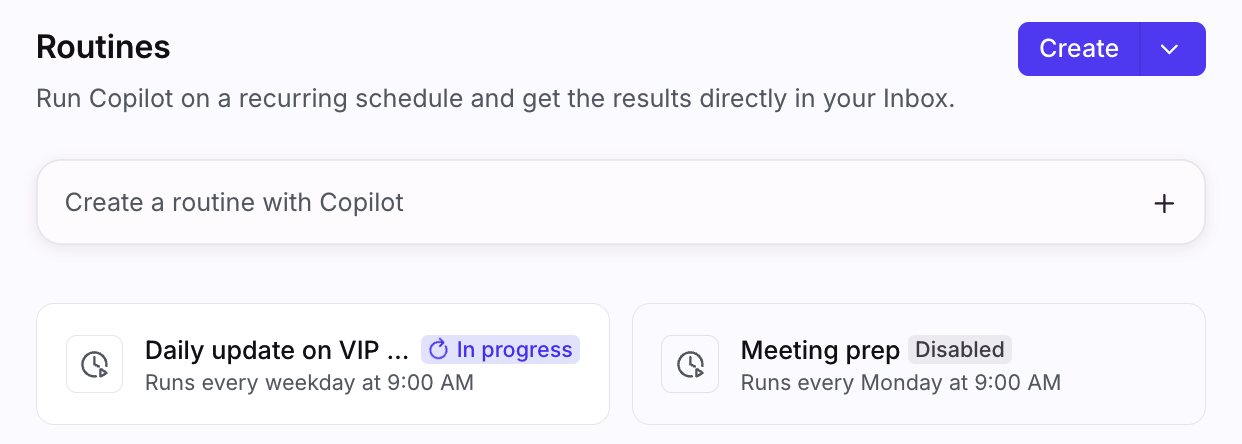
You’ll see indicators next to routines that are currently in progress or are disabled.
Step 5
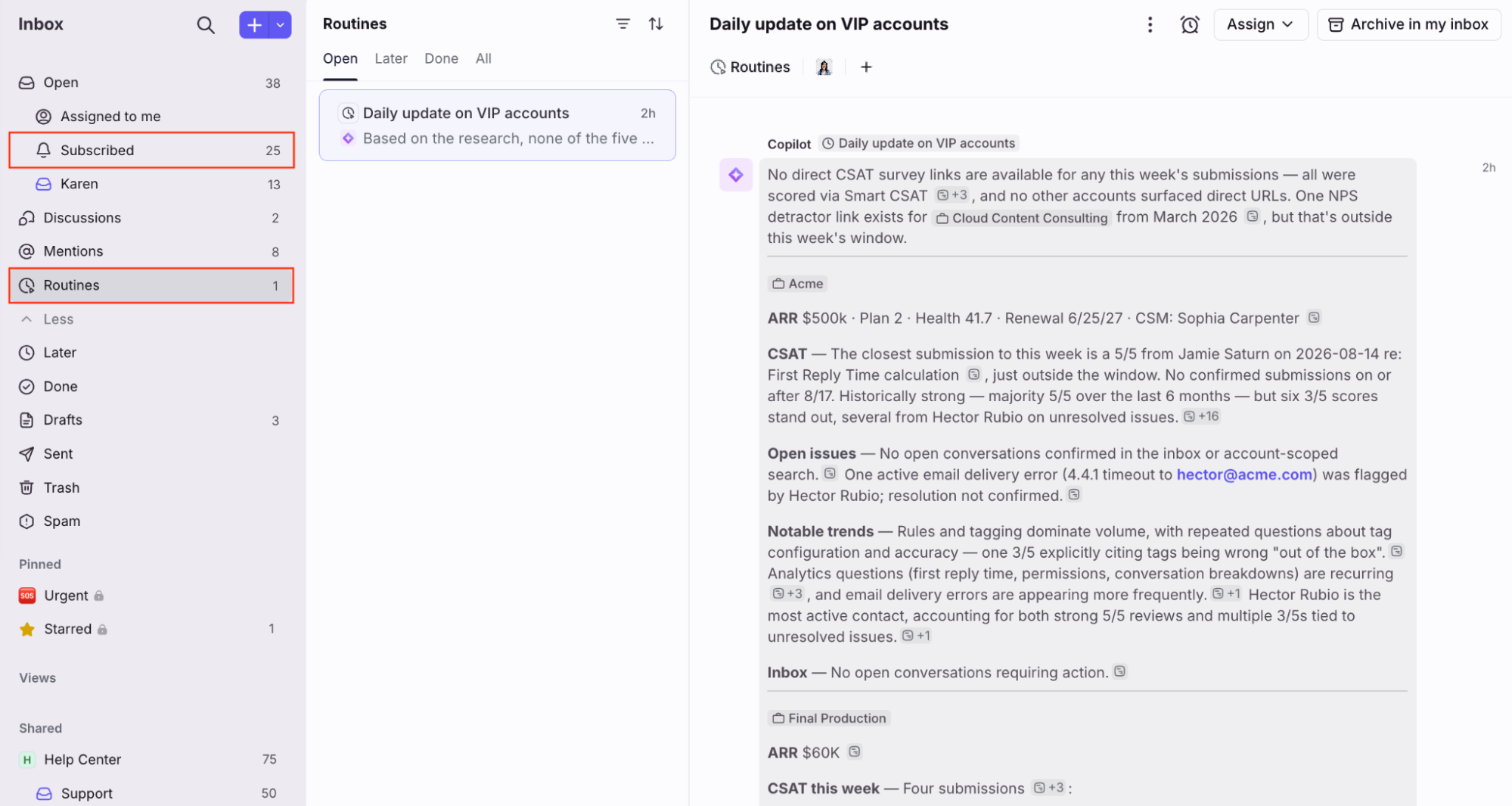
Once a conversation is created, you’ll see it in the Subscribed and Routines tabs in your sidebar.
FAQ
Are routines supported on mobile?
Copilot routines can only be created and managed using the desktop app or web browser. Routine conversations will still be delivered to your inbox in all desktop app, mobile app, and web browser experiences. You'll also see tables, references, and mentions on mobile.
Can I schedule a routine to run more frequently than daily?
Not at this time. When setting up a scheduled routine, daily is the highest frequency option available.
Pricing
You must have the Copilot add-on or have Copilot included in your plan.