
How to enable and use the WorkSights AI integration
Overview
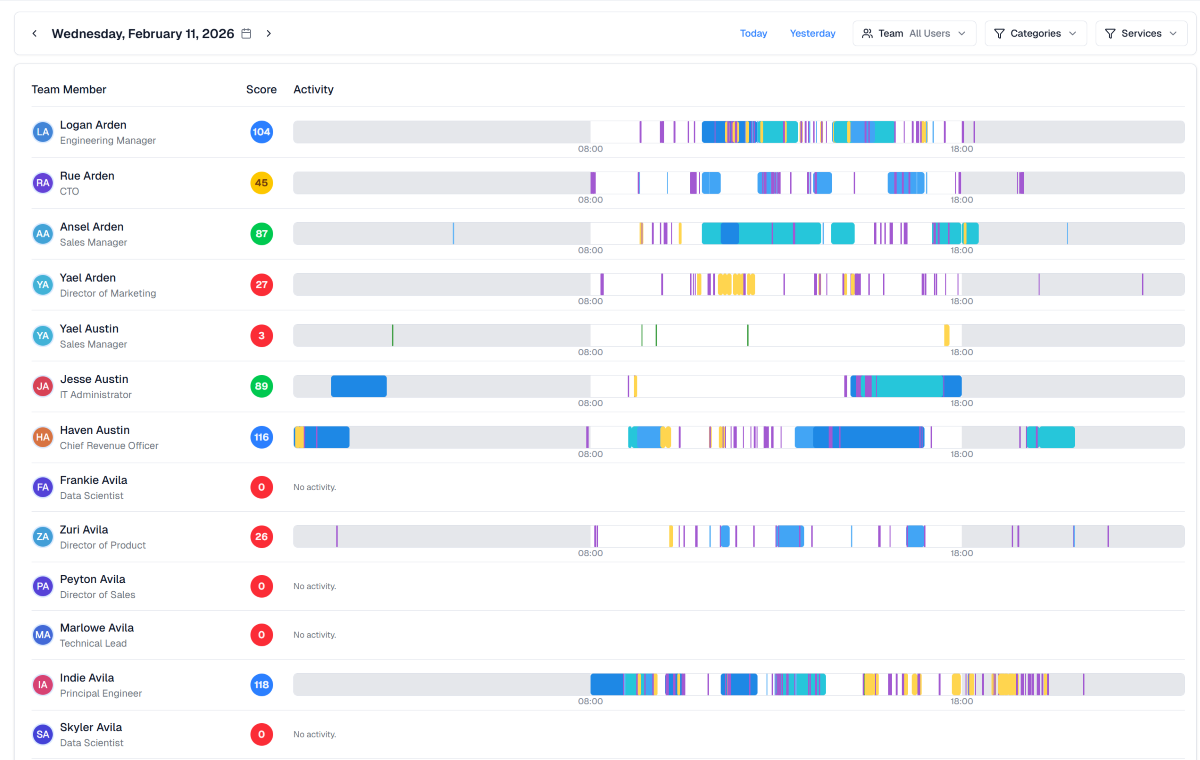
WorkSights AI reads activity metadata across the systems where work already happens - email, chat, CRM, project tools, and support platforms - and surfaces operational insights and business intelligence about how engagements and teams are performing. WorkSights AI extends that intelligence to the client level, showing leaders the health of every client relationship. No behavior change, no rollout - it connects to your existing stack via secure, read-only admin OAuth.
This integration syncs conversation and activity metadata from Front so leaders can see how client communication is actually flowing - response patterns, engagement momentum, and accounts going quiet. Front signals are combined with activity from the rest of your stack, and the Worksights AI "Observers" proactively surface what needs leadership attention before it becomes a problem. The integration is read-only and runs entirely in the background, so nothing changes for the teammates working in Front.
You must have Front company admin permissions to set up the integration.
Instructions
Follow WorkSight AI's setup guide to get started.
WorkSight AI developed and maintains this integration, so if you have any questions please reach out to their team at success@worksights.ai.
Pricing
This feature is available on all plans.