
How to enable and use the ClickUp integration
Overview
ClickUp is a customizable project management platform that allow teams to keep everything from design to development on track. ClickUp offers tasks, docs, reminders, goals, and calendars to enable teams to plan, organize, and collaborate in one place.
Available features
Sidebar plugin
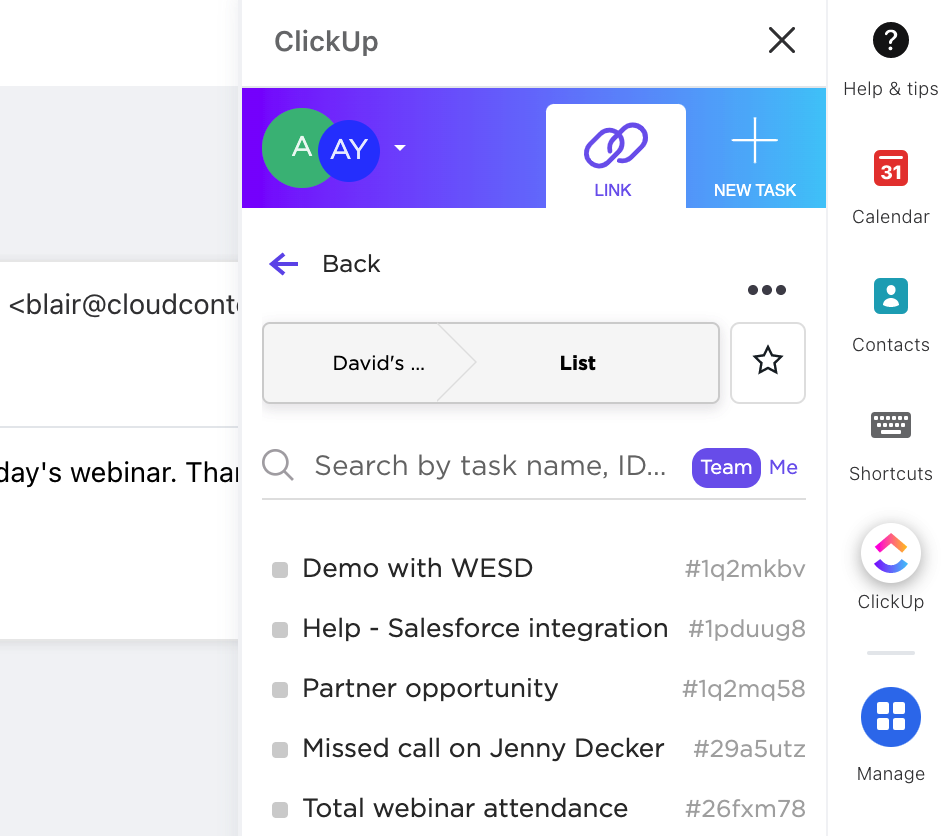
This article: The ClickUp plugin integration in the app switcher allows you to access ClickUp directly from your inbox to search for, link, and create new tasks. Easily link Front conversations with ClickUp tasks to share feedback with your product team, track bugs, update client project status, and more.
AI knowledge source
With Copilot or Autopilot: Connect your ClickUp docs to Front as an AI knowledge source. This allows you to resolve inquiries with natural language responses generated by AI based on content outside of Front.
MCP Connector
With Copilot or Autopilot: An MCP Connector lets Front's AI work directly in one of your tools, using that tool's own set of actions. Once connected, Front's AI can find information and take actions in that tool, and you decide what Front’s AI is allowed to do.
Instructions
Follow ClickUp’s setup guide to get started.
ClickUp developed and maintains this integration, so if you have any questions please reach out to their team via their Help Center.
Pricing
This feature is available on all plans.